Showing posts with label painting. Show all posts

Thursday, June 26, 2008

Crib Hacking

So (surprising noone reading this blog, I'm sure) I hacked a crib. Wasn't happy with the stock options available to me, so bought a cheap crib on craigslist, bought some table tops at Ikea, and a handful of threaded fasteners (and some white paint) later, Tada! Cool modern crib for under $100.


(that's a really dark wood on the ends)


The dresser and changing table were different light woods, so we painted them white to match the room. One was free, the other was cheap.


Debbie made those curtains. It's strips of ribbon.   I'll post an update when Debbie gets finished with the crib skirt and when we finally get knobs on all the furniture!

Acrylic Halftone Painting Tutorial

I'm sure there are several ways of getting the effect I showcased in Acrylic Halftone Paintings.


Here's how I did it:


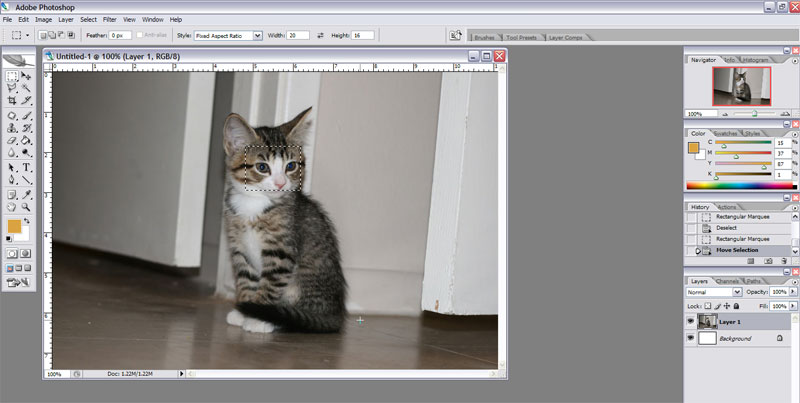
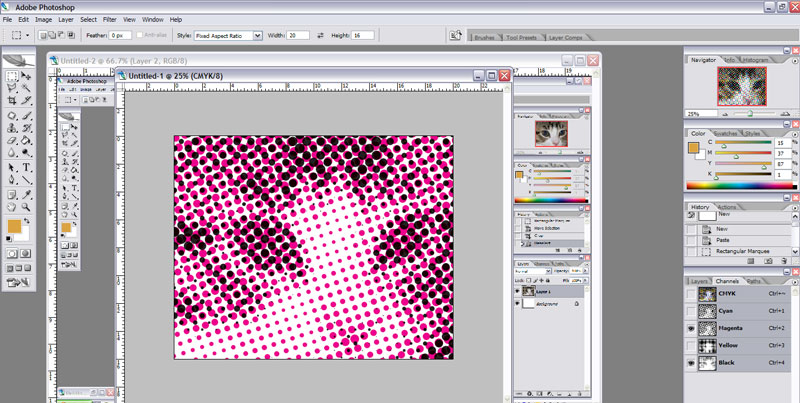
Take your picture, and crop a portion the same aspect ratio as your canvas (you can change your rectangle select to 'fixed aspect ratio' and, in this case, make it 20 x 16)


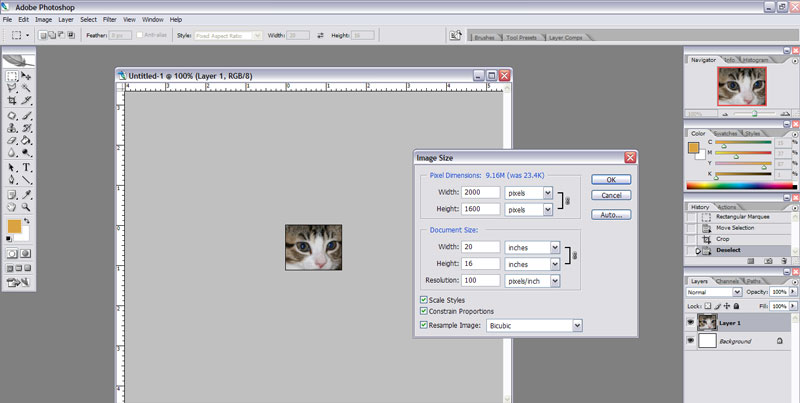
Resize the image to the size of your canvas at 100dpi (so, 2000 x 1600, for me)


Change the image mode from RGB color to CMYK color. That is in the Image->Mode menu. If you don't do that, the next steps won't work right.


I couldn't get a screenshot of the halftone menu for some reason, but it is under Filter -> Pixelate -> Color Halftone...


You can play with any of these settings you want, but to get the effect I got, try your Max Radius at 50 pixels (half an inch, at 100 pixels per inch).


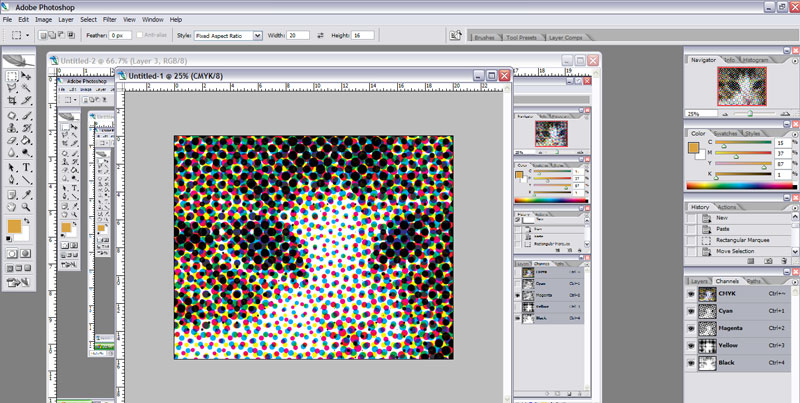
This should be the result:


To print your individual colors (and to decide which channels you want to paint) go to the Channels pallet...if it isn't showing, show it with your Windows menu. Hide one or more of the channels. Through trial and error, I determined that trying to do all four channels is too busy...it is nearly impossible to get multiple colors to mix evenly. The best effects I could get were using black and one channel of color, like this:


Once you get something you like, hide all the channels except one, print it on transparency, then hide all the channels except your other one, and print it, too. Figure out a way to line them up, overlay them one at a time pointed at your canvas, and paint on!

Acrylic Halftone Paintings

I took home an old overhead projector from work, and decided to see if I could do something artistic with it. This was the first project that popped into my head, and I'm tickled to death with the results.


I bought some canvases at Wal Mart ($5 for three 16 x 20...what a deal!) and some round sponge brushes, and 99 cent bottles of cyan and black.

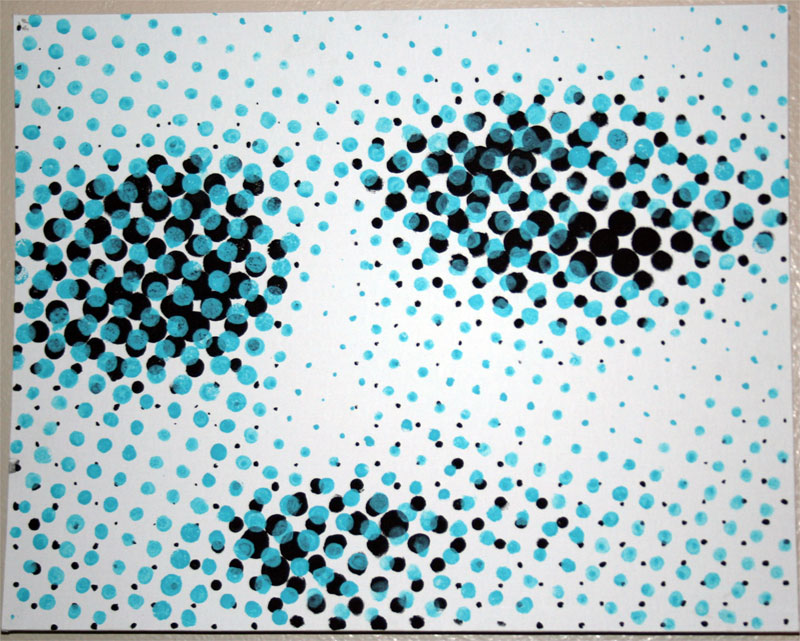
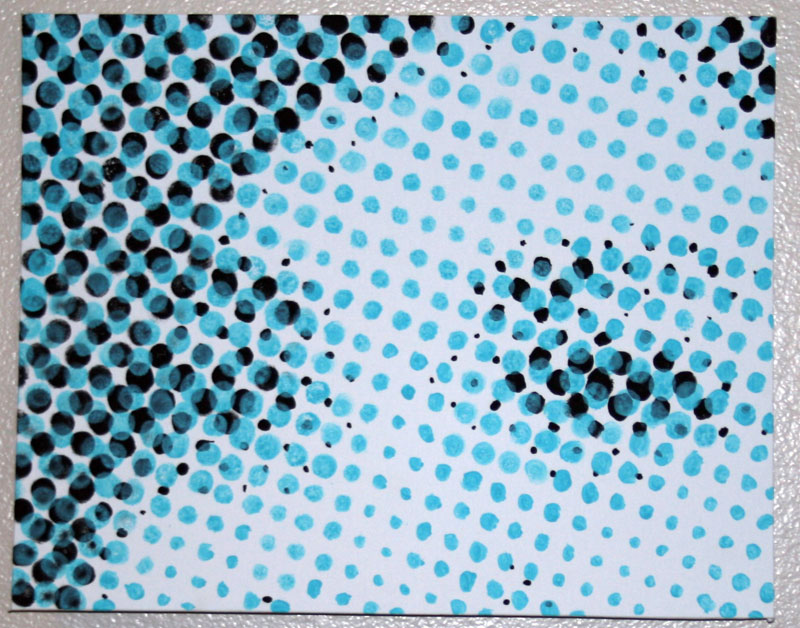
I took two pictures (one of me, one of my fiance) and cropped them down in photoshop to just the eyes, set the mode to CMYK, and had it halftone the pictures with .75" as the maximum dot size. I printed the black and cyan channels on transparencies (along with some alignment marks) and set up my projector and easel.

First I laid down the black, let it dry, and then laid down the blue, watered down enough to let the black show through.

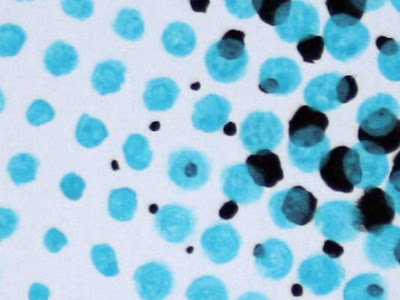
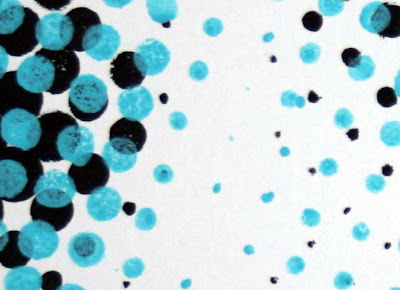
Here's two zoomed in squares, one from each painting, to get an idea of what they look like up close...these are roughly lifesize on my screen, the big dots are about three quarters of an inch:


And here's larger images of the finished product.


The beauty of these is you have to view them from far away for them to 'turn into' anything...try getting as far away from your monitor as you can. If you can't because your against a wall (or are lazy, hehe) here's some thumbnails to simulate the effect:


This was my first venture into non-digital art in probably ten years, and I absolutely love it! I will make another post that gives an expanded tutorial.  Check back soon!
(ed: Originally posted 4/28/07)